

|
|
Epson D92 Original & Compatible Ink Cartridges - With Free Delivery !
3 Reasons To Buy From Internet-ink
1. Free Delivery Included With Every Order
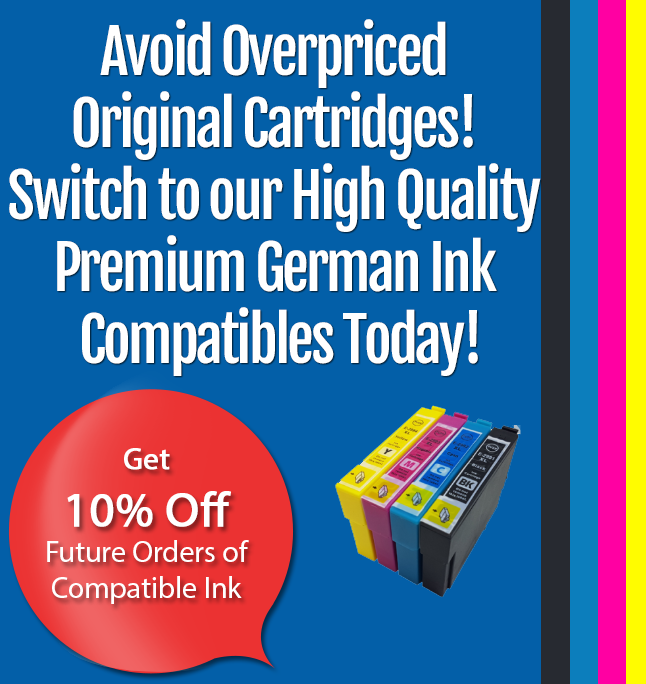
2. 10% Off All Your Future Ink Cartridge Orders
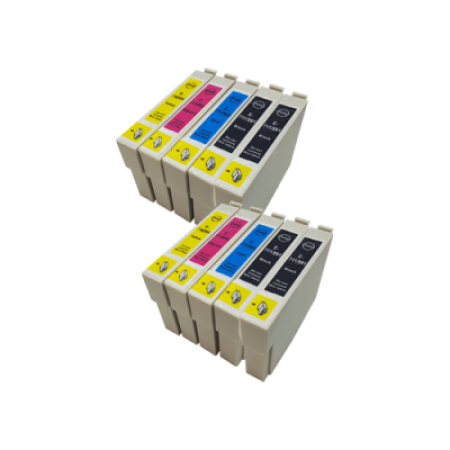
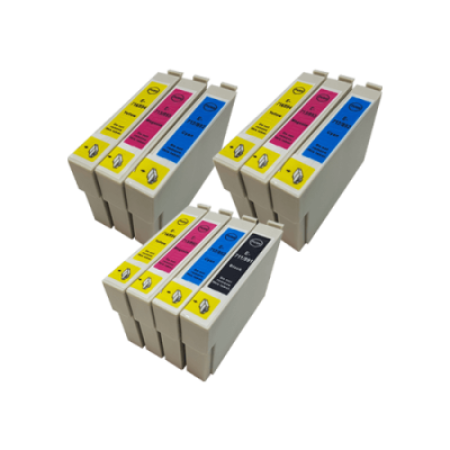
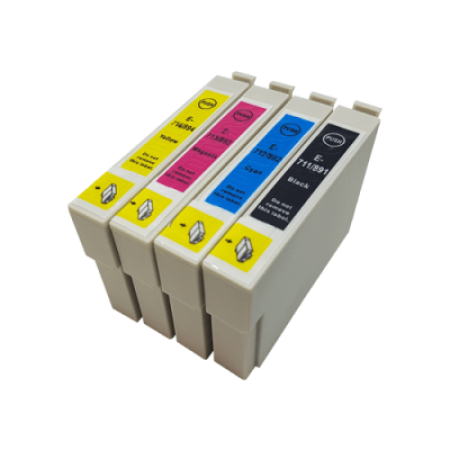
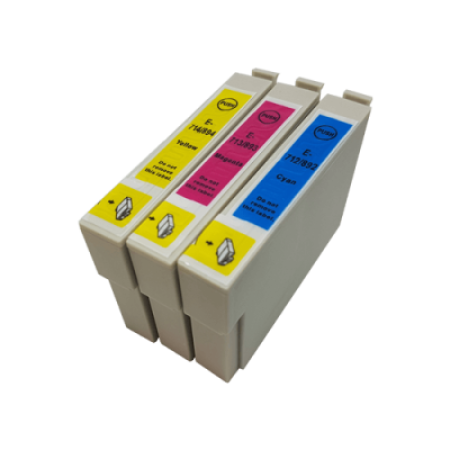
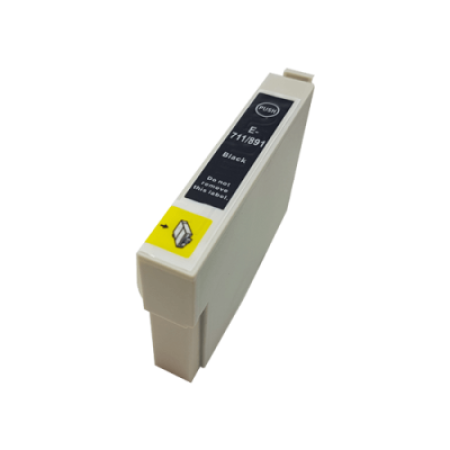
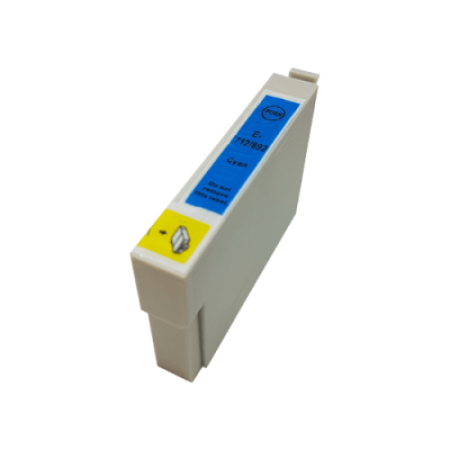
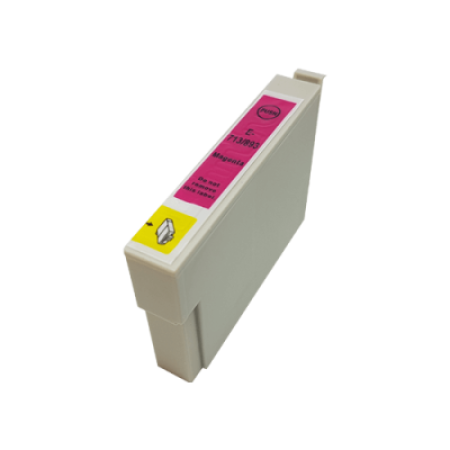
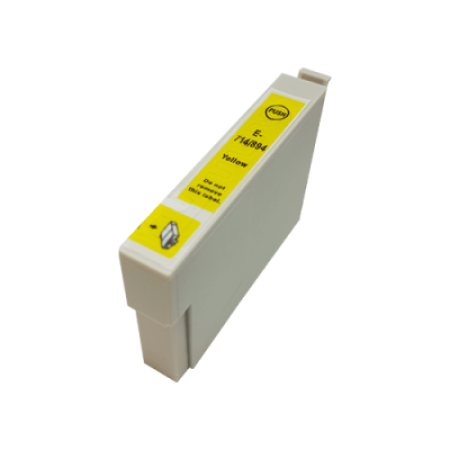
3. Compatible High Capacity Epson D92 Cartridges Now Available.Epson T0711-T0714 XL Compatible Ink Cartridges Our Extra Large (XL) Epson TO711 - TO714 Series compatible ink cartridges contain nearly THREE times more ink than Epson original printer inks. Rest assured these replacement inks are guaranteed to work as well as the original Epson cartridges. Our compatible ink cartridges contain 19ml of ink per cartridge as opposed to 6.5ml in originals. Try our 10 cartridge compatible twin pack for only £26.99 , thats only £2.69 per cartridge
We would recommend that if you are purchasing compatible cartridges for the first time that you purchase a complete set. This is because the compatibles may not function combined with the original cartridges you received with your printer.
Epson T0711-T0714 Original Ink Cartridges The advantage of Original Epson T0711 - T0714 cartridges is simply brand assurance. While these are at a higher price we are amongst the largest suppliers of Epson original ink cartridges in the UK, so our prices are very competitive.
Our Cleaning Epson T0711 - T0714 cartridges are unique and will clean away dried ink from the printer head and improve the quality of your prints.
What Do You Think About The Epson D92 Printer
We are conducting a massive survey of the printers you use. Please send us a small review of your printer to reviews@internet-ink.co.uk
We would like to hear the good and the bad and a score out of 10. All the results will go onto our website for other people to use when deciding which printer to buy.
This is my fourth printer. It is very noisy, I have problems with the paper coming down correctly and I think I can truthfully say it is the worst printer that I have had. Rita Hart.
Your Reviews So Far
|
hi! the printer i recently bought is an Epson D92 is a good printer but very noisy ,if only it was quieter..jim kyle |
I use an Epson D92 printer which I would recommend to anyone. The compatible Epson ink cartridges I have purchased from you are very good quality and the delivery service excellent. |
As the owner of a new Epson Stylus printer model D92, I am not overly happy with it, far to noisy and slow, would`nt recommend this model of Epson to any one. Ruth Clark |
Hi Everybody I have a Epson D92 and to date can not fault it. Compatible ink cartridges are excellent and value for money. Can’t hear the wife nagging due to noise factors, another bonus. Excellent buy for printer and ink. Well done guys. Merry Christmas to you John |
I purchased a D92 from Epson from Epson on-line yesterday after my ancient Stylus Colour 680 started showing signs of old-age and it is my birthday on Sunday..... To say I am disappointed is an understatement....Very noisy !! and slower than the old one. I wouldn’t buy another......Print quality is no better than the 680 and install instructions are not very clear either.......You need a USB cable to connect the the PC and this is not supplied. Fortunately I had a spare one but feel sorry for anyone receiving this printer and not able to set it up until they buy one.........I rate it at 3/10 |
Epson D92 - Disappointed 1. Expensive to run 2. Noisy 3. Slow 4. Some ink cartridges will not work 5. In Holland the government has recommended people do not buy a Epson D92 as it is not environmentally friendly. Peter Liverpool |
Hi Guys, I purchased an Epson D92 printer and find it one of the worst Epson printers I have bought. I have used Epson for the last 15 years but this new one with the 9 button cartridges is noisy, fairly slow and the signal for low ink will not show up on screen. The Epson original ink cartridges last a short time and economy is terrible. Perhaps I have a Friday night Monday morning sample but I will not be purchasing an Epson again. The old Epson 800 was brilliant. Brian |
I changed from a Lexmark z620 ( with its very expensive cartridges and annoying verbal feedback _ I know you can turn it off ) to the Epson D92. They are both noisy - but the Epsom turns outperforms the Lexmark and pound for pound far better value. The Epsom is well built and the signal cable to the print heads strong and substantial - since this seems to be the component that has caused two failures in previous printers - I have better hopes for this one.
|
I have an Epson D92. I had to get a cheaper one as my Epson R200 had been damaged when I had to do a massive print out of combined data and pictures in b/w and colour. I had had the R200 for a few years and was very happy with the colour picture results. The Epson D92 is more of a work horse and whilst it prints most things quite well and is fine for everyday use it is very noisy, quite slow and I definitely prefer the Epson R200 for its colour print out quality. Rita Hart, Dorset. |
Score 8 out of 10 Epson D92 Printer review. Priorities I wanted a printer that was inexpensive and reliable to run and around £50 to buy. It had to be able to print with very small borders. Speed, noise and picture quality were not a priority. First impressions. the price was right. (£39 from Tesco) I liked the separate Epson ink cartridges for each colour and the fact that compatibles ink cartridges were available. It had an attractive design. Although it had a larger footprint on my desk than the Canon, it felt sturdier, although it was actually lighter. When I had to move it, the Paper Guide and tray remained firmly in place. Setup: The sheet of paper which came with the printer showed mainly diagrams with little supporting text. This was not as clear as I would like and I found it tricky to follow. A Getting Started manual on the CD would have been better. I’m still unclear what some of the diagrams mean even though the printer is now working. It was especially unclear what to do with the ink cartridge guide band which was had to be threaded through some holders. It is unusual for this to be left to the user to do The paper guide was nice and sturdy compared to my more pricey Canon i350. The paper receiving tray sloped slightly upwards. This unusual (but obvious) design improvement meant that I could put my new Epson D92 printer on a shelf and would not have to retrieve pages that fell to the floor. They did not (as I had initially feared) then fall back into the rollers. The Epson D92 came with a set of what the manual stated were mini cartridges to get you started. I suspected they won’t last long because some of the ink was used immediately to load the ink cartridges. After printing 3 pages of text, the status diagram showed 1/4 of the black ink cartridge as having been used. Although very reasonably priced compatible ink cartridges were available, the manual stated that the ink status would not show if compatibles were used. First print. It was easy to load the paper. The slider bar was pinched to pull it left and simply pushed to bring it to the left side of the paper. There was an indicator to show you if you had loaded too many pages. It seemed to allow a reasonably generous amount. Going to File, Print opened up a Printer window with the usual front end. By pressing Properties you also got a very useful set of tabs which made it very easy to set up eg print quality, printer borderless, rotate or mirror image, print a watermark, check ink levels and also maintain the printer (clean or align print heads and paper guides, check nozzles, replace ink cartridges) The Epson D92 took a fair while to warm up the first time I used it but this decreased on subsequent occasions. The print speed for text printing was slow but this was a low priority for my requirements I selected Text Quality printing in the Printer Properties window. The text was very clear and dark - clearer than necessary in fact. To save ink I then tried printing a Word Document in Draft mode. The quality of the Draft mode was very poor and much fainter than any other printer I’ve ever tried - it would not be useful for anything except for checking layouts. I set the quality option back to Text, I clicked the Advanced settings button, ignoring the somewhat alarming warning that these were only for advanced users. I then reduced the Saturation from 0 to -5. The print quality was still perfectly clear so I gather that this is a more suitable way to save ink rather than using draft. There was the option too to adjust the settings for each individual colour. I was happy to see a Reset Defaults button in case my experimentation caused any problems. I was able to save my settings as a named Custom Setting and one click would bring back all the changes I had made. This proved to be particularly handy when printing envelopes because it also saved the paper size, document type and paper orientation in the Custom Setting. Unfortunately for my ink saving plan, I had to choose my low saturation setting each time I printed since it did not allow me to choose it as a default and did not remember it for the next time I printed something. Using these settings it should be possible to create a setting that acts more like a draft setting and save it with a suitable profile name. When I printed an envelope, it proved simple to load and printed the envelope exactly as it appeared in the Print Preview of my document - something which is not always the case! Low Ink warning This,like my Canon was very premature and I was told to replace the ink cartridge well before there was any need to do so. The low warning had to be OK’d before the printer would proceed to print. At a later stage, it claimed that the black would no longer work properly. It then offered to print using a mixture of other colours. When I Ok’d this, the results were a convincing, dark green print - a very useful feature in an emergency. Again, this offer had to be OK’d before printing took place. However, for the next page, I refused this option and found that the black was still printing fine. So take the warnings with big pinch of salt. The mini ink cartridge that came with the printer looked exactly like the full-size cartridges and lasted much longer than I expected. Is it possible that these were full size cartridge? Print quality The colours, using the Epson inks, were much better than both my previous printers which tended to make yellows in particular, slightly mucky looking. All the colours looked bright and true. Epson claimed that their own brand of inks were water resistant. Since Canon inks run like rabbits at the first drop of moisture, this was a very attractive feature. I tested it out and they were correct. The ink stayed in place if a drip of water was put on it. Even rubbing it, did not cause more than a very slight smearing, leaving the text completely legible. Printing Web pages I used the Web-to-Page feature which fitted a web page to your page, scaling it down if it was too large. I liked the option of being able to print a web page with or without frame. Problem with changing the ink cartridge My first problem arose when I eventually wanted to replace the ink cartridge that came with the printer. I followed the instructions, switching on the power button, waiting for it to stop flashing then pressing the Maintenance button but the ink holder did not move clear of the carriage body as it should have. A hunt online found that I was not the only user with this problem but the site also gave a (simple) solution. Open a document (eg a Notepad doc), go to File, Print. The Printer window will open. Click the Properties button. Click on the Maintenance tab. One of the buttons is labeled ’Replace the Ink Cartridge’. A simple, illustrated Step by Step guide is given, with buttons to press to move to the next step. At the correct stage in the procedure a button press automatically moved the ink holder into the correct position for changing the cartridge. (One solution offered on the same site was to press and hold the Maintenance button for 5 seconds. Do not do this! It activates the Print Head cleaner which uses up ink unnecessarily and the ink cartridge holder ends up by sliding back to the hidden position.) I don’t understand why the manual didn’t even mention this method - it’s an excellent idea. user Manual The manual on the CD was a series of HTML pages. It was very good (apart from the above)with clear diagrams and instructions. It had a good search function Cons Initial Set up was tricky The manual’s instructions for changing ink cartridges didn’t work Slowish, especially on images Paranoid Low Ink Warning Pros Water resistent ink excellent print quality Paper tray design Sold feel Good colours Web To Page printing Custom Printing Profiles Clear (mostly) user manual Reasonable ink life Economical to buy
|
Bought this Epson D92 as a replacement for the basic Epson C60. Cheap Quieter Good, clear results BUT Much slower. 90 secs to print page that took 30 before!! Cost per page twice as much 5p rather than 2.5p. Good occasional printer but wouldn’t recommend to someone doing a lot of printing. |
At this moment i am using an Epson stylus D92, this is a small photo printer, I bought the printer in January as I am at this moment doing a Microsoft office 2007 course, my old computer was not powerful enough to cope with the program and I had to purchase another pc, this had windows vista already downloaded and my old printer was not compatible so hence the D92, this for it’s cheap price is so far a very good printer, it does everything it’s told to a satisfactory and neat output, the only drawback is the noise, it does tend to be a wee bit loud, if you can put up with this I find it is good enough for a house printer. Up to this moment I cannot comment on the photographic qualities as I have not used this operation yet but I do feel confident that it will be okay. I trust this helps in some way, thank you, Barry. |
I bought the Epson D92 to use alongside my Canon Pixma 4200, which I use for my photos. The Epson was bought just for leaflets and general use, so didn’t have to have a great performance, just cheaper to run than my Canon, for which I only use original cartridges. Well, it was certainly cheap, but about three times as noisy as any printer I have ever used, including the old dot matrix models. As to speed - make sure you have a cup of tea handy! The quality is adequate for my needs, but if you want to produce good photos you will have to pay more. |
This is my 2nd Epson printer ( D92 )............My 1rst was C46 which was very good ,plenty of compatible inks.....however it only lasted about 18 months and then it told me some inner parts had exceeded their life expectancy. Nonetheless I bought the D92 from Tesco at £30, but when my ink ran out I had problems finding compatable ink.......I then discovered there were different cartidges with the same numbers depending on when printer was bought. I saw at Internet-ink you new of this,so I bought some from ink you.....I am now printing away merrily...........but have reservations about EPSON in the future. |
The Epson D92 printer is rather slow and noisy but is adequate for home use and prints well in mono and colour and I got mine for £29-99 including vat and delivery, Internet Inks compatibles are very good value and the printer accepts them as Epson originals and the firms service is excellent.
|
|
This is my fourth printer. It is very noisy, I have problems with the paper coming down correctly and I think I can truthfully say it is the worst printer that I have had.
Rita Hart.
|
The Epson D 92 is rubbish. I am still using the Epson ink cartridges and the colour is pale and flat. I would never buy another Epson printer again. Hugely disappointed.Score out of 10? 3 |
A piece of junk. Noisy, slow, won't print in black only when colour cartridge(s) empty. Will never buy another Epson printer. Have moved to New Zealand and impossible to find replacement ink cartridges. My advice - don't buy one!
Steve
|
Epson Ink Cartridges For Epson D92 Printers With Free Delivery! Epson D92 printer ink cartridges with free delivery on all orders, from internet-ink.co.uk - the Epson ink and toner cartridge specialists. Epson, D92, printer, ink, inks, cartridge, cartridges, cheap, buy
|
|